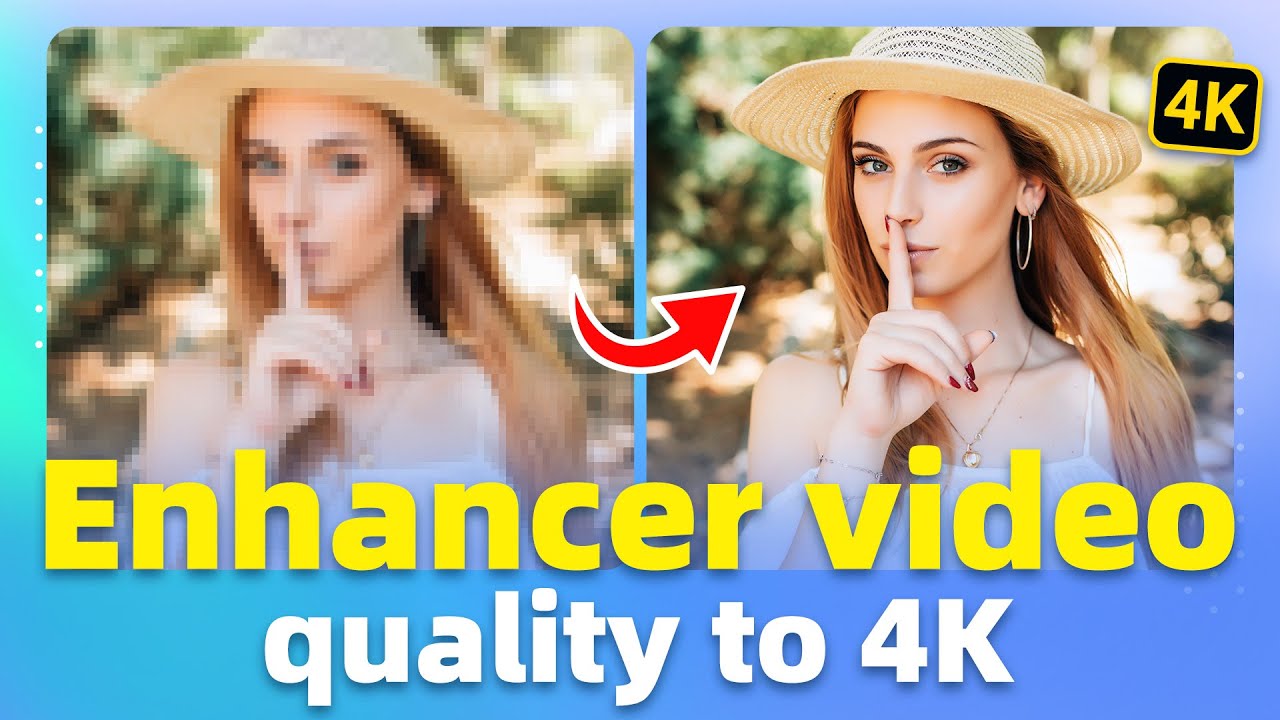

In today’s digital world, video content has become more important than ever. Whether you are a content creator, YouTuber, filmmaker, social media influencer, or business owner, high-quality videos help attract more viewers and create a professional impression. However, many old or low-resolution videos often look blurry, pixelated, noisy, or outdated on modern screens. This is where 4K video enhancement becomes extremely useful.
Enhancing a low-quality video into 4K quality is now possible with the help of advanced AI technology and modern video editing tools. AI-powered software can improve sharpness, increase resolution, reduce noise, restore details, and make videos look cleaner and more professional without requiring expensive cameras.
What is 4K Video Quality?
4K resolution refers to a video size of approximately 3840 × 2160 pixels. It contains four times more detail than Full HD (1080p). Because of this higher pixel count, 4K videos appear sharper, smoother, and more detailed on large screens and modern devices.
When people watch a 4K video, they notice:
- Better image clarity
- Sharper edges
- Improved colors
- More realistic details
- Professional visual appearance
This is why creators and brands prefer uploading high-resolution videos on platforms like YouTube, Instagram, TikTok, and Facebook.
Why Low-Quality Videos Look Bad
Low-quality videos usually suffer from several common problems. Some videos are recorded using old cameras or mobile phones, while others become compressed after uploading to social media platforms.
Common problems include:
- Blurry visuals
- Pixelation
- Noise or grain
- Low brightness
- Poor colors
- Shaky footage
- Lack of sharpness
These issues reduce viewer engagement and make videos look unprofessional. Fortunately, AI video enhancement tools can now fix many of these problems automatically.
How AI Enhances Videos into 4K
Artificial Intelligence has completely changed the video editing industry. Modern AI tools analyze every frame of a video and intelligently add missing details while increasing resolution.
The process usually includes:
1. Upscaling Resolution
AI increases the video resolution from 480p, 720p, or 1080p to 4K. Instead of simply stretching the image, AI predicts and recreates details to maintain quality.
2. Noise Reduction
Old videos often contain grain and digital noise. AI removes unwanted particles while preserving important details.
3. Sharpening
Soft or blurry videos become sharper and clearer through advanced enhancement algorithms.
4. Color Correction
AI improves colors, brightness, contrast, and overall visual balance to make footage more attractive.
5. Frame Interpolation
Some AI tools can increase frame rates from 24 FPS or 30 FPS to 60 FPS for smoother motion.
Best AI Tools to Enhance Videos into 4K
There are many powerful tools available today that can upscale videos professionally. Some popular options include:
Topaz Video AI
Topaz Video AI is one of the most popular AI video enhancement software programs. It can upscale videos to 4K and even 8K while preserving details naturally.
Features:
- AI upscaling
- Noise reduction
- Motion stabilization
- Frame interpolation
- Face enhancement
Adobe Premiere Pro
Adobe Premiere Pro offers professional editing features along with AI-powered enhancement tools. It is widely used by filmmakers and YouTubers.
Features:
- Professional editing
- Color grading
- Sharpening tools
- AI enhancements
- Export in 4K
CapCut
CapCut has become extremely popular among mobile content creators. Its AI enhancement features allow users to improve video quality easily.
Features:
- One-click enhancement
- Mobile-friendly interface
- AI filters
- HD and 4K export
- Social media optimization
DaVinci Resolve
DaVinci Resolve is another professional software used for video editing and color correction.
Features:
- Advanced color grading
- Noise reduction
- Sharpness controls
- High-quality rendering
- Professional editing workflow
Benefits of Enhancing Videos into 4K
Improving video quality offers many advantages for creators and businesses.
Better Viewer Engagement
High-quality videos attract more attention and keep viewers watching longer.
Professional Appearance
4K videos look more polished and premium, helping creators build trust with their audience.
Improved Social Media Performance
Platforms like YouTube and TikTok often promote high-quality content because viewers prefer watching clear videos.
Future-Proof Content
As technology improves, 4K content becomes the standard. Enhancing videos now helps keep your content relevant in the future.
Restore Old Memories
AI enhancement can restore old family videos and historical footage, making memories look fresh and clear again.
Tips for Best 4K Video Enhancement Results
Although AI tools are powerful, following some best practices can improve final results.
Use the Highest Original Quality Available
Starting with a better source video always gives better enhancement results.
Avoid Excessive Compression
Compressed videos lose details. Try using original video files whenever possible.
Choose the Right AI Settings
Different videos require different enhancement levels. Experiment with sharpening and noise reduction carefully.
Stabilize Shaky Footage
Use stabilization tools before upscaling to achieve smoother results.
Export in High Bitrate
A higher bitrate preserves more details in the final 4K video.
Challenges of Video Upscaling
While AI enhancement is impressive, it still has some limitations.
- Extremely blurry videos cannot be perfectly restored
- Some AI tools require powerful computers
- Rendering 4K videos takes more time
- Over-sharpening may create unnatural results
However, modern AI continues improving rapidly, making video restoration more effective every year.
The Future of AI Video Enhancement
The future of video enhancement looks very exciting. AI technology is becoming smarter and faster. In the coming years, creators may be able to convert old low-resolution videos into cinematic-quality footage instantly.
Future improvements may include:
- Real-time 8K enhancement
- Better face restoration
- Automatic scene correction
- Advanced motion smoothing
- Fully automated editing workflows
AI is making professional video editing accessible for everyone, even beginners.
Conclusion
Enhancing low-quality videos into 4K quality is no longer difficult thanks to modern AI technology. Powerful tools can now sharpen blurry footage, reduce noise, improve colors, and upscale resolution with impressive results. Whether you are a YouTuber, filmmaker, influencer, or casual creator, upgrading videos to 4K can dramatically improve content quality and audience engagement.
As video platforms continue prioritizing high-resolution content, learning how to enhance videos professionally can give creators a major advantage. With the right software and editing techniques, even old or low-quality footage can look modern, clean, and visually stunning.